
Sometimes you need more than 1 device to be able to approve signin requests (especially with "shared" or "generic" accounts). This is pretty straightforward, but you have to have BOTH devices available in order to accomplish this:
- Open a browser on a computer (not a mobile device) and navigate to https://mysignins.microsoft.com/security-info
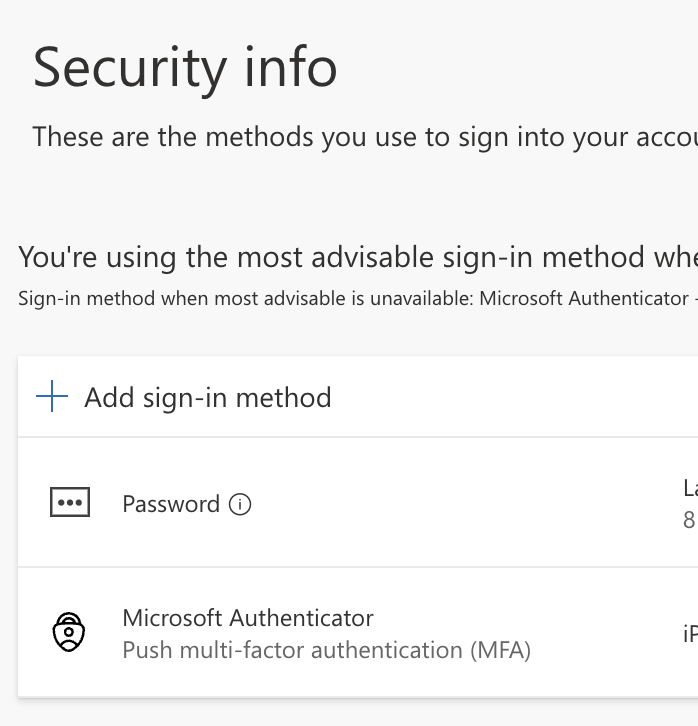
- After logging in and approving with the first device, go to Security Info and click Add sign-in method:
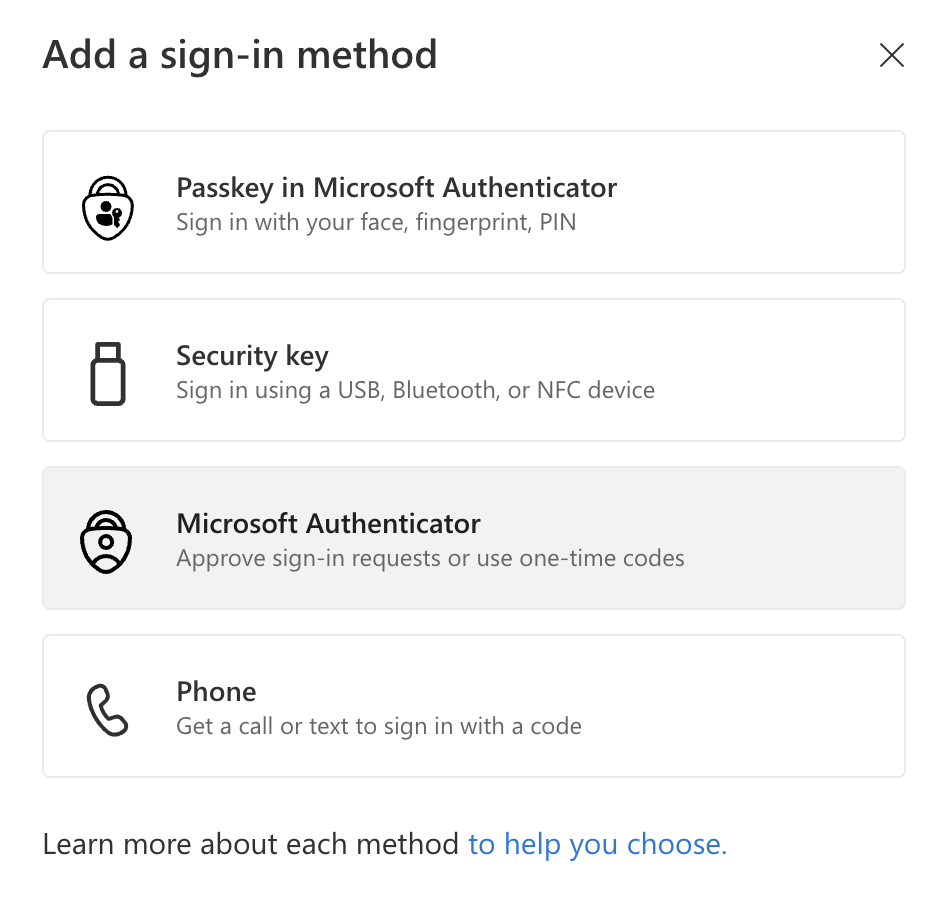
- You may add whatever method you like, but we recommend using "Microsoft Authenticator":
 If you already have a Microsoft Authenticator App, you'll open that up, click the + in the upper-right corner, choose Work or School Account, and Scan QR Code, then scan the QR that comes up on the computer screen.